
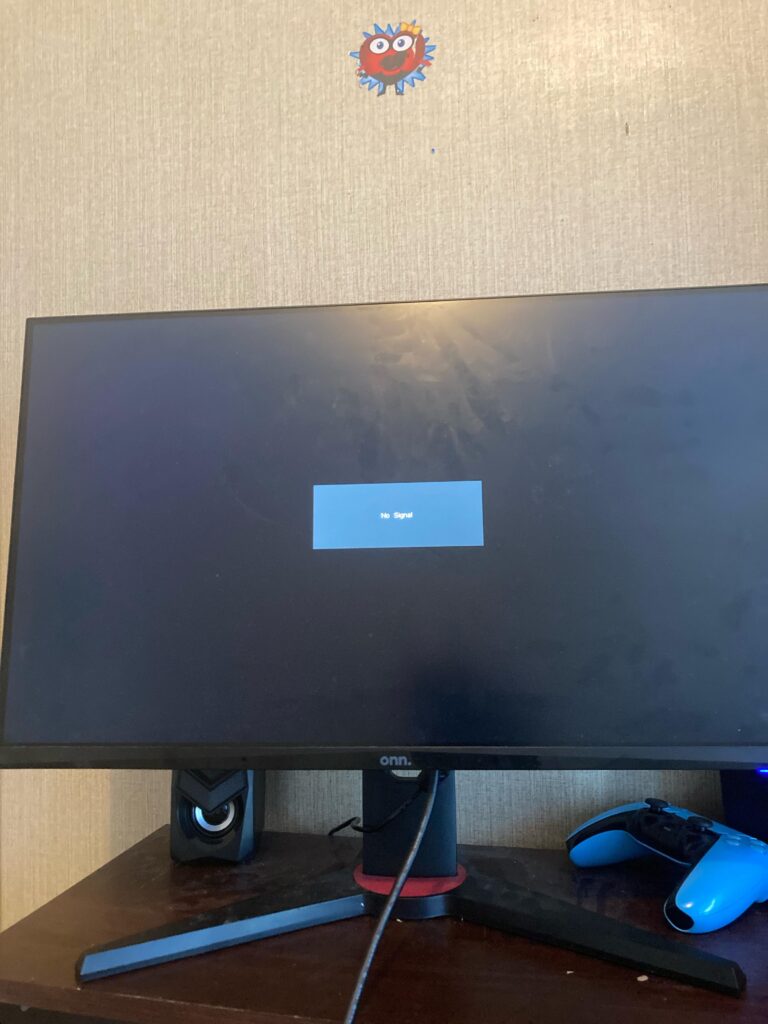
The fans spin, the lights come on, and the monitor stays black. Before you assume the worst: a PC that powers on with no display is very often a cable, a setting, or a loose part. It’s less often a dead graphics card or motherboard.
Work through the checks below in order. They start with the free, two-minute fixes and get more involved as you go.
First, figure out which “no display” you have
| What you see | What it usually means |
|---|---|
| Monitor says “No signal,” PC fans and lights are on | The PC is running but not sending a picture to that port. Usually a cable, input, or graphics card issue. |
| Monitor doesn’t turn on at all | Check the monitor first: power cable, power button, and whether it works with another device. |
| A motherboard light (VGA, DRAM, CPU, BOOT) stays lit | The PC is stuck before it can start. See what those motherboard lights mean. |
| Picture appears briefly, then goes black | A driver, resolution, or refresh-rate problem in Windows, or a graphics card failing under load. |
| PC beeps on startup | A beep code from the motherboard, usually pointing at memory or graphics. Look up the pattern in your motherboard manual. |
The most common causes, in order
- The monitor is plugged into the motherboard, not the graphics card. On a gaming PC with a dedicated graphics card, the video ports on the motherboard usually do nothing. Plug the monitor into the ports on the graphics card itself, lower on the back of the case. This is one of the most common no-display problems we see after someone moves or rebuilds a PC.
- The monitor is on the wrong input. Use the monitor’s menu to select the input you’re actually plugged into (HDMI 1, DisplayPort, and so on). Some monitors don’t switch automatically.
- A bad or loose cable. DisplayPort and HDMI cables fail more often than people expect. Try a different cable and a different port on the graphics card.
- The graphics card isn’t getting power or isn’t seated. Most gaming graphics cards need one or more power cables from the power supply. If one is loose or missing, the card won’t put out a picture. A heavy card that sagged or shifted in shipping can also lose contact with its slot.
- Memory that isn’t seated or isn’t stable. If a RAM stick is loose, or a memory overclock (XMP or EXPO) has become unstable, the PC can power on but never finish starting.
- A failed graphics card, motherboard, or power supply. Less common, and the reason to rule out everything above first.
What you can safely check yourself
- Confirm the monitor works by connecting it to a laptop, game console, or another PC.
- Move the monitor cable to the graphics card, try a different cable, and cycle through the monitor’s inputs.
- With the PC shut down and unplugged, push each graphics card power connector in until it seats fully. Newer cards with the 16-pin connector need it pushed in all the way, with no visible gap.
- Unplug the PC, wait 30 seconds, and press the power button once to drain stored power. Then plug it back in and try again.
- If your processor has built-in graphics, move the monitor cable from the graphics card to the motherboard. A picture there points to the graphics card or its power. Many gaming CPUs, including Intel models ending in F and many AMD Ryzen chips, have no built-in graphics, so this test won’t work on them.
Stop there. Reseating memory, clearing the BIOS, or swapping parts is where a simple problem turns into an expensive one if a connector gets damaged or a part takes a static shock.
When to stop and bring it in
Bring it in if the monitor works elsewhere and a different cable didn’t help, if a motherboard light stays on, or if the problem started after a part was added or swapped. Our technicians build gaming PCs, so tracing a no-display fault to the exact part is everyday work for us. The diagnostic is $60, and you get a written quote within 24 hours or the diagnostic is free. Nothing gets repaired until you approve the price.
Most gaming PC repairs land between $120 and $350. If the graphics card itself has failed, the part is quoted separately, and we’ll tell you straight if the repair doesn’t make sense next to the value of the machine.
Not in the Kansas City area? Mail-in gaming PC repair works from anywhere in the U.S., with insured return shipping. Here’s how to pack it so it arrives safely.
Common questions
No. Bad cables, the wrong monitor input, and a monitor plugged into the motherboard instead of the graphics card cause it far more often. Rule those out first.
Yes. A power supply that can’t deliver enough power to the graphics card can leave the PC running with a black screen, or make it shut off under load.
Usually the graphics card shifted in its slot, a power cable worked loose, or the monitor got plugged into the motherboard instead of the graphics card. Check those three first.
The diagnostic is $60 with a written quote within 24 hours. Most gaming PC repairs run $120–$350, and you approve the exact price before any work starts.