
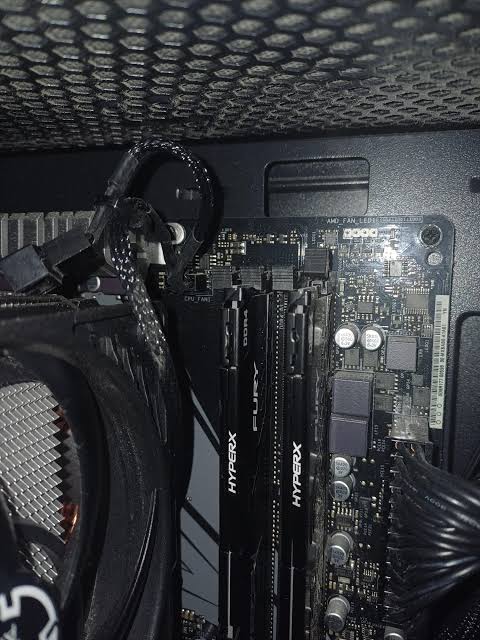
You added memory to make your PC faster, and now it won’t start. The fans spin, the screen stays black, and there may be a DRAM light on the motherboard. It feels like you broke something. Usually you didn’t. A PC that won’t boot after a RAM upgrade is almost always a compatibility, seating, or settings issue.
First: give it time
After any memory change, the motherboard retrains the memory on the next startup. On DDR5 systems this can take anywhere from one to several minutes, with a black screen the whole time, and the PC may restart once or twice on its own. Powering off during training just starts the process over. Leave it alone for five minutes before deciding it’s stuck.
The most common causes
- The wrong memory type. DDR4 and DDR5 aren’t interchangeable, and laptop memory (SO-DIMM) won’t fit a desktop. If a stick doesn’t drop into the slot easily, don’t force it. The notch is there to stop the wrong type from going in.
- Not fully seated. Desktop memory takes more force than most people expect. Both latches should click closed, and the stick should sit level along its full length.
- The wrong slots. With two sticks, most motherboards want them in the second and fourth slots from the processor, labeled A2 and B2. Check your manual.
- Mixed kits. Adding a new pair to an existing pair often fails, even when the brand and speed match. Memory is tested and sold as matched kits, and four sticks are harder for a processor to run at full speed than two.
- XMP or EXPO settings. If a memory overclock profile was turned on, the new memory may not run at those settings, especially with mixed sticks.
- A BIOS that’s too old for the new memory. Motherboard makers add memory support through BIOS updates. Higher-capacity sticks, like 24GB or 48GB modules, often need a newer BIOS.
What you can safely try
- Wait a full five minutes on the first boot after the upgrade.
- Shut down and unplug, touch a bare metal part of the case to discharge static, then reseat the new memory firmly until both latches click.
- Confirm the sticks are in the slots your manual recommends.
- Put the old memory back in by itself. If the PC boots, the rest of the system is fine, and the problem is the new memory or its settings.
- Try the new memory alone, one stick at a time, in the slot your manual recommends for a single stick.
- If it boots with the new memory but crashes, turn off XMP or EXPO in the BIOS and test at default speed.
Stop there. Clearing the BIOS with a jumper or flashing a BIOS update are the next steps, and a BIOS update that fails partway can leave the board unable to start at all.
When to stop and bring it in
Bring it in if the PC won’t start with the old memory either, if a DRAM light stays on no matter what you try, or if you’re not sure the new memory is compatible. We test with known-good memory, so you find out whether the new kit is defective, incompatible, or fine while you can still return it.
The diagnostic is $60, with a written quote within 24 hours or the diagnostic is free. If you’d rather skip the trial and error entirely, we also install and test memory upgrades, matched to what your board actually supports.
Seeing a DRAM light? Read what the motherboard lights mean. Brand-new build? Start with the first-boot checklist.
Not in the Kansas City area? Mail-in repair works from anywhere in the U.S. Send the new memory in the box along with the PC so we can test both.
Common questions
The motherboard retrains the memory after any change. On DDR5 systems that can take several minutes with a black screen. Let it finish before powering off.
Sometimes, but it often fails or forces all the memory to run slower. One matched kit with the total capacity you want is far more reliable than adding a second kit.
It’s rare if the PC was unplugged and the memory is the correct type. Forcing the wrong type into a slot can damage it, so memory should never need extreme force or go in unevenly.
The diagnostic is $60 with a written quote within 24 hours. Memory installs are quoted in writing too, and nothing gets done until you approve the price.