
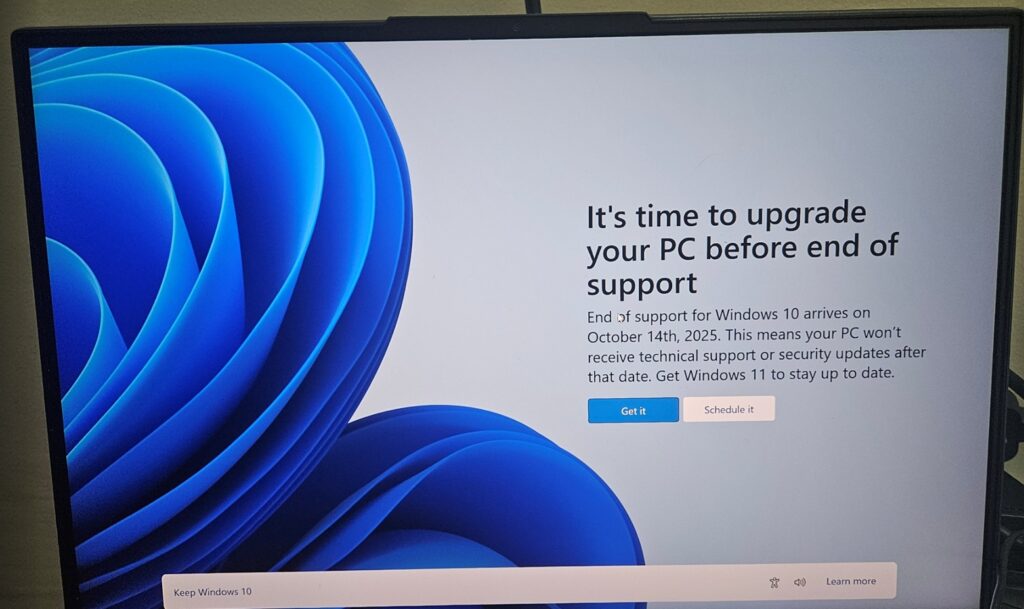
In October 2025, Microsoft ended free support for Windows 10. If your computer is still running it — and millions are — nothing dramatic happened that day. It didn’t stop working. No countdown appeared. And that’s exactly why so many people around Blue Springs are still running it, often without knowing there’s anything to decide.
Here’s the plain version of what changed, and the three realistic paths forward — including what each one actually costs.
What “end of support” really means
Windows 10 keeps running. What stopped is the stream of security patches — the fixes Microsoft ships when someone finds a new way to break in. Every month that passes, newly discovered holes stay open on your machine. For a computer that handles email, banking, taxes, or a small business’s books, that’s not an abstract risk; unpatched systems are precisely what scams and ransomware are built to find. Software support erodes too: over time, browsers and programs drop Windows 10 the way they eventually dropped Windows 7.
No urgency theater here — your computer won’t die on a schedule. But the sensible window for deciding is now, not after something forces the decision.
Path one: your PC may already be able to run Windows 11 — free
Plenty of machines from roughly 2018 onward meet Windows 11’s requirements, and the upgrade costs nothing. Some are eligible but blocked by a single firmware setting (TPM, in the jargon) that ships switched off — we see machines “fail” the compatibility check for exactly that reason and pass it five minutes later. Often times customers have new-enough machines to support Windows 11 with a simple BIOS tweak. We’ve had many customers we’ve been able to upgrade by enabling TPM 2.0. If you’re comfortable, Microsoft’s PC Health Check app gives you a yes/no; if it says no, it’s worth knowing why before believing it.
Path two: the refresh — make this machine worth keeping
Windows 11-capable but slow, or right on the line? This is where the honest math surprises people. An SSD upgrade with your files migrated starts at $250, memory can usually be doubled affordably at the same time, and the result is a machine that boots in seconds, runs a supported operating system, and has years left — for a quarter the price of a decent new computer. For most 2017–2020 machines in decent health, this is the path we’d choose ourselves.
Path three: replace it — with your data moved, not lost
Some machines genuinely can’t make the jump, and some aren’t worth the investment even if they could. If that’s the verdict, we’ll say it plainly rather than sell you an upgrade into a dead end. What matters then is the move: we transfer your files, photos, and settings to the new machine for $150 — so “new computer” doesn’t mean “starting over.”
Not sure which path your machine is on?
That’s a fifteen-minute answer at the bench. Our $60 diagnostic tells you exactly where your computer stands — Windows 11 eligible, refresh-worthy, or replacement-due — in a written assessment you can act on either way. Bring it by our Blue Springs shop, and you’ll leave knowing instead of wondering.
Outside the Kansas City area? Ship it to our bench with mail-in computer repair: same $60 diagnostic, insured return shipping. Related guide: Is your computer worth repairing?