
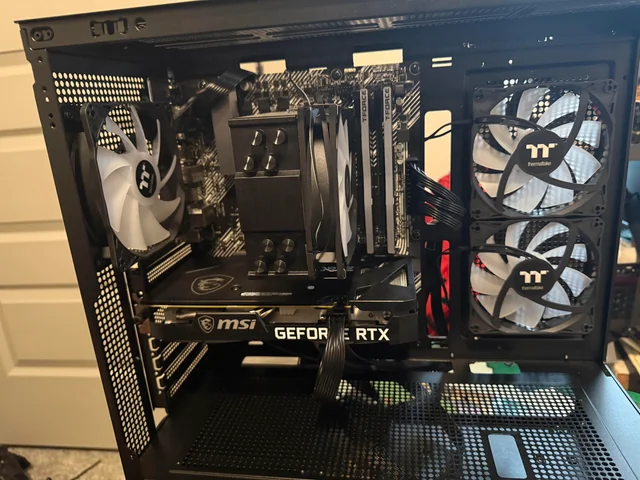
You spent hours on the build, plugged it in, pressed the power button, and nothing happened. No fans, no lights. Or the fans spin and it never gets any further. Either way, a brand-new build that won’t start is almost always an assembly or connection issue, not a dead part.
Work through this checklist in order. It covers the mistakes we see most often on new builds that come across our bench.
Nothing happens at all: no fans, no lights
- The power supply switch is off. The rocker switch on the back of the power supply should be on the | side, not O. It catches experienced builders too.
- The front-panel power switch isn’t connected, or it’s on the wrong pins. The tiny case cable labeled POWER SW has to sit on two specific pins of the motherboard’s front-panel header. One pin off and the button does nothing. Your motherboard manual has the exact pin map.
- The 24-pin motherboard cable isn’t fully latched. It’s stiff and often stops a few millimeters short. Push until the clip snaps over the tab.
- Modular cables from a different power supply. Modular cables aren’t standardized between brands, or even between models from the same brand. Cables from an old power supply can destroy parts the instant you power on. Only use the cables that came with the power supply you installed.
- The outlet, power strip, or power cord. Try a different outlet and cord before assuming the power supply is dead.
Fans and lights come on, but no picture
- The CPU power cable is missing. Separate from the 24-pin, the motherboard needs one or two 8-pin CPU power cables near the top-left corner of the board. Without them, fans can spin while the processor never starts.
- The monitor is plugged into the motherboard. With a graphics card installed, the monitor goes into the card. More in our no-display guide.
- Memory in the wrong slots, or not fully seated. With two sticks, most boards want them in slots A2 and B2, usually the second and fourth slots from the processor. Both latches should click. Check your manual.
- First-boot memory training. A new DDR5 system can sit on a black screen for several minutes the first time it starts while the board tests the memory. Give it five minutes before you power it off.
- The BIOS doesn’t support your processor yet. A newer CPU in a board that shipped with an older BIOS may not start at all. Many boards can update the BIOS from a USB drive with no processor installed, using a button on the back (often called BIOS Flashback). Check your board’s CPU support list.
- A debug light stays on. If a CPU, DRAM, VGA, or BOOT light stays lit, it’s telling you where startup stopped. See what the motherboard lights mean, and our guide to a VGA light that stays on.
It turns on, then shuts off seconds later
That’s usually the CPU cooler not making contact, often because the plastic film is still on the bottom of the cooler, or because an AIO pump isn’t powered. We wrote a full guide on a PC that turns on, then shuts off.
What not to try
- Don’t jump the power supply with a paperclip or test it with tools you aren’t sure how to use.
- Don’t keep pulling the processor back out. Bent pins in an Intel socket are one of the most expensive build mistakes there is, and they usually happen on the second or third reseat.
- Don’t keep power-cycling a build that gets hot fast or smells like burning. Unplug it.
When to bring it in
If you’ve gone through the checklist and it still won’t start, it’s time for a second set of hands. Our technicians build gaming PCs, so finding the one missed connection or the one bad part in a new build is routine work. We test with known-good parts, so you find out whether something is defective while it can still go back under warranty.
The diagnostic is $60, with a written quote within 24 hours or the diagnostic is free. You approve the price before we do any work.
Built it somewhere other than Kansas City? Mail it in from anywhere in the U.S. Follow our gaming PC packing guide so the cooler and graphics card survive the trip.
Common questions
Most often the CPU power cable is missing, the memory isn’t in the right slots, the monitor is plugged into the motherboard instead of the graphics card, or the BIOS doesn’t support the processor yet.
New DDR5 systems can take several minutes on the first start while the motherboard trains the memory. Give it about five minutes before deciding it’s stuck.
Not necessarily. Check the power supply switch, the outlet, the 24-pin cable, and the front-panel power switch pins first. Those cause most no-power builds.
Yes. Custom builds are some of the most common jobs we see. The diagnostic is $60 with a written quote within 24 hours, and nothing gets repaired until you approve the price.