
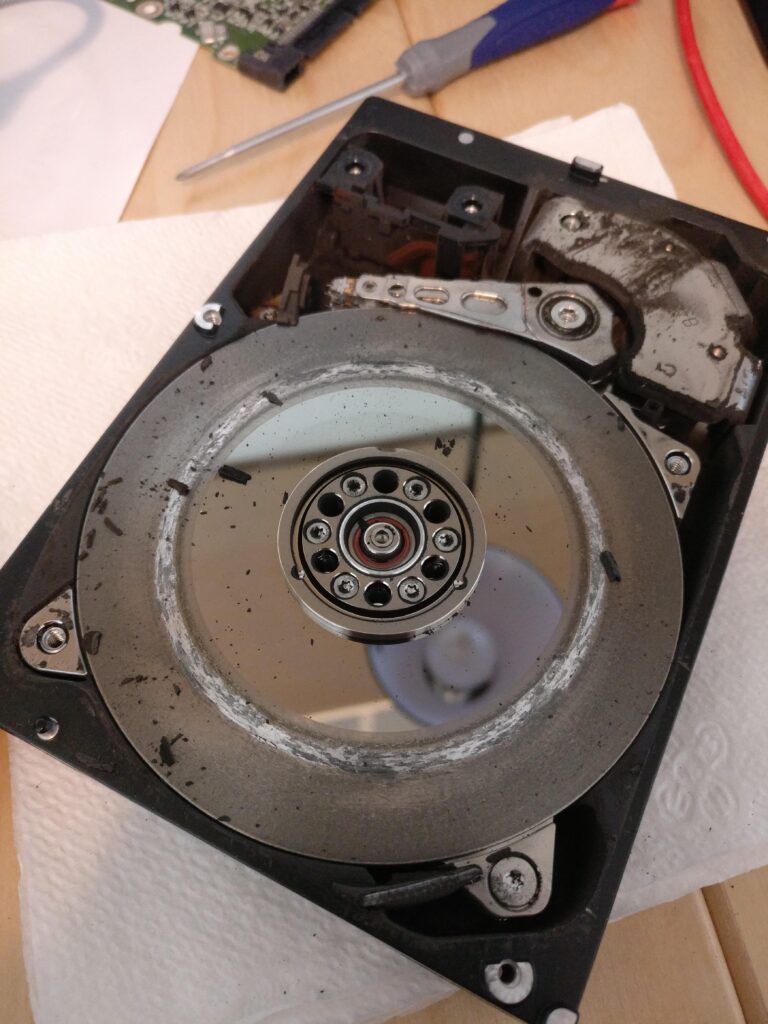
If your hard drive is clicking, beeping, or grinding, power it off right now — before you finish reading this. A clicking hard drive is not a quirk or a warning sign. It is mechanical failure happening in real time, and every second the drive keeps spinning can destroy data permanently.
We offer data recovery in Blue Springs with a simple policy: $60 evaluation, written quote before any work begins, and no recovery fee if we can’t get your files back. But whether you bring the drive to us or anyone else, what you do in the next ten minutes matters more than anything a recovery shop can do later. Here’s why.
What a clicking hard drive noise actually means
Inside a traditional hard drive, your data lives on spinning platters, and a mechanical arm with read/write heads floats a few nanometers above them — a gap thinner than a fingerprint. The clicking sound (technicians call it the “click of death”) is that arm repeatedly slamming back to its rest position because the heads have failed, been damaged, or can no longer find the data they’re looking for.
Beeping usually means something different: the platters are trying to spin up and can’t, often because the heads have physically stuck to the platter surface. Grinding is worse still — it can mean the heads are dragging across the platters, scraping away the surface your files are written on.
None of these sounds ever resolves on its own. A drive that clicks today will not click less tomorrow.
Why you need to stop using the drive immediately
When the heads fail, they can make physical contact with the platters. Every rotation — the drive spins 5,400 to 7,200 times per minute — grinds damaged heads against the surface that holds your photos, documents, and records. Data that was fully recoverable at the first click can be physically scraped out of existence within minutes of continued use.
This is the difference between a recovery that succeeds and one that doesn’t, and it’s why the first thing we tell every caller is the same thing: power it off and leave it off.
What not to do with a clicking hard drive
These four mistakes destroy more recoverable data than the original failures do:
Don’t keep restarting it. Each power cycle spins the platters against failed heads. “It worked for a minute after I restarted it” means the drive spent another minute damaging itself.
Don’t run recovery software. Consumer recovery tools force the drive to read intensively for hours — exactly the workload a mechanically failing drive cannot survive. Software recovery is for deleted files on healthy drives, not clicking ones.
Don’t open the drive. Hard drives are assembled in cleanroom environments because a single dust particle between head and platter causes damage. Opening one at a kitchen table typically ends any chance of recovery.
Don’t try the freezer. This decades-old internet myth causes condensation on the platters when the drive warms back up. It made marginal sense on drives built in the 1990s. On anything modern, it adds water damage to mechanical damage.
What a professional data recovery looks like
At our Blue Springs shop, recovery starts with a $60 bench evaluation: we determine what failed, what’s recoverable, and put a recovery quote in writing within 24 hours — before we touch your data. You approve the quote, or you walk away having spent $60 to know the truth.
Logical failures, failing-but-readable drives, deleted files, and dead SSDs are handled in-house with professional-grade tools. Mechanical failures that require platter-level work in a certified cleanroom go to DriveSavers, the national leader in lab recovery — we manage the evaluation, the shipping, and every conversation, so you deal with one shop start to finish.
And the policy that matters most on a job like this: if we don’t recover your data, you don’t pay the recovery fee.
The honest version of “can my data be saved?”
Usually, yes — if the drive stops spinning early. Recovery success on clicking drives correlates almost perfectly with how quickly the owner powered them down. The drives that arrive unrecoverable are almost always the ones that ran for days after the first click, restarted over and over while their owner hoped the sound would go away.
Don’t hope. Power it off, book a drop-off, and bring it in. Sixty dollars gets you a written answer within 24 hours.
Outside the Kansas City area? Ship the drive or computer to our bench with mail-in repair: same $60 evaluation, insured return shipping. Related guide: Is an SSD upgrade worth it?